Beaterator, a joint venture between Rockstar and producer Timbaland, is a brave effort to bring portable music production to the masses. On many levels it’s an absolute triumph, allowing far more ‘low level’ access to music creation than initially apparent without compromising the simple stuff for people just wanting to dip in and out of the package using the pre-supplied beats – a fine balance that might just have worked out. So, let’s take each of the sections of the package in turn, starting with the weakest: Live Play.
Oddly, a good proportion of the game’s advertising, and especially the trailers, has been focused on the Live Play portion of Beaterator, possibly because of the animated Timbaland-like avatar in the centre or perhaps the ease of use – regardless, apart from the built-in ability to cue up the next block this is a rather throwaway inclusion for anyone with even the most basic of grasps on music creation. Put simply, you line up four sets of loops (drum, bassline etc) and switch between them in a rudimentary mimicking of Ableton’s Live mode. It’s simple, fun, but rather limited.
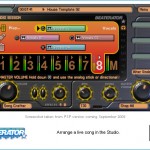
A step above Live Play is the Studio Mode. It works on a similar principle to Live Play but features 8 tracks upon which you can pre-load four different loops, and actually integrates nicely into the main meat of Beaterator, the Song Crafter. Whilst playing with your loops in Studio Mode you can switch on recording, which will then start to build up your song in Song Crafter – sounds fine but if you’ve ever used anything on the PC or Mac you’ll find using Studio Mode a little too basic, and will want to build up your track micromanagement style using the Song Crafter.
Thankfully, Song Crafter is excellent. It’s intuitive, deep and exceptionally powerful given the host platform. The same eight tracks from Studio Mode are used here, but each track can play host to a decent amount of loops – so, although you can’t overlay loops in each track you can play them after each other and they don’t need to contain the same style of music or use the same instruments. A good example of how to use the tracks is to build up a two bar drum loop, duplicate it and then change the end of the second loop to incorporate some kind of snare. Keep them both on the same track, and switch between as required.
So, Beaterator contains a massive library of pre-built loops which are divided roughly into drums, melodies and audio, plus a few ‘Timbaland’ loops of all kinds of genre. Drum loops can be deconstructed (and built up from scratch) in the Drum Crafter and within each drum loop you’ve got 8 channels for things like kicks, snares, hi hats and cymbals. The Drum Crafter is superb, easily advanced enough to allow you to build precisely the patterns you want, and all hits and triggers can be adjusted manually to ensure they’re all perfect. And then, as said above, you can edit, duplicate and delete these loops.
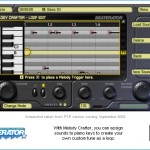
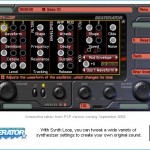
Melodies are similar, although you’ll get a midi-esque vertical keyboard using a single instrument rather than eight tracks in the Drum Crafter. The Melody Crafter also works in tandem with the Synth Loop tool, so, for example a simple 303 type bassline created in the Melody Crafter can be pushed through to the Synth Loop tool to enable tweaking of the resonance, various filters and even the waveform. Beaterator contains as many knobs to twiddle as you’d ever need, and although movement through them all with the d-pad works just fine, you can tell a touch screen would have been welcome.
Finally, the other type of loop is what the software calls ‘audio’ loops, essentially WAV files of various lengths timestretched to fit whatever BPM your song is currently running at. Beaterator contains a basic Sample Editor, which enables you to crop, reverse and fade out the samples but timestretching is a little rough and brittle – cleverly the game can import your own WAVs in addition to those already on the UMD and if your PSP is equipped with a microphone it’ll even let you sample directly from that, useful for some impromptu rapping, perhaps – sound quality of sampled sections is bright and clear.
All these sections require effort and timing to get the most out of, though – although flicking between them is normally just a case of tapping the right trigger to bring up the menu I personally found the tutorial videos a little basic and because I’m reviewing this from a digital download I had no printed instructions to hand leaving me to work out exactly what each section does and how they integrate with each other. Not necessarily an issue to anyone familiar with Acid or Ableton, perhaps, but a solid wall of a learning curve for anyone not willing to invest the time.
Despite this criticism, there’s not really any other way Rockstar could have developed this software: the interface is supremely cohesive and consistent, the various editors all share the same UI building instant familiarity and the technical grunt is impressive enough for Beaterator to have taken over my usual evening’s music creation away from my bank of Korg and Roland hardware, and that’s saying something. If you’re still not convinced, we’ve not even talked about the live FX banks, the online Social Club song sharing, the various interface skins or the stacks of pre-supplied demo songs…
Seriously stunning stuff – Beaterator is easily the most comprehensive music creation software I’ve seen on a video game console.




Graphics: Crisp, functional and clean, with smart use of lighting to show you where you are on any of the screens: 8/10
Sound: Masses of beats, beeps and blips, everything you need to create electronic music. The quality of the samples varies, but for the price it’s all very generous: 9/10
Gameplay: It’s complex enough to create decent music, as long as you put the effort in to get the most out of it – the tutorials are weak: 8/10
Overall: Excellent stuff. For newbies this is a decent introduction to electronic music construction, and a brilliant little portable test bed for the experienced producer. It even exports MIDI.