
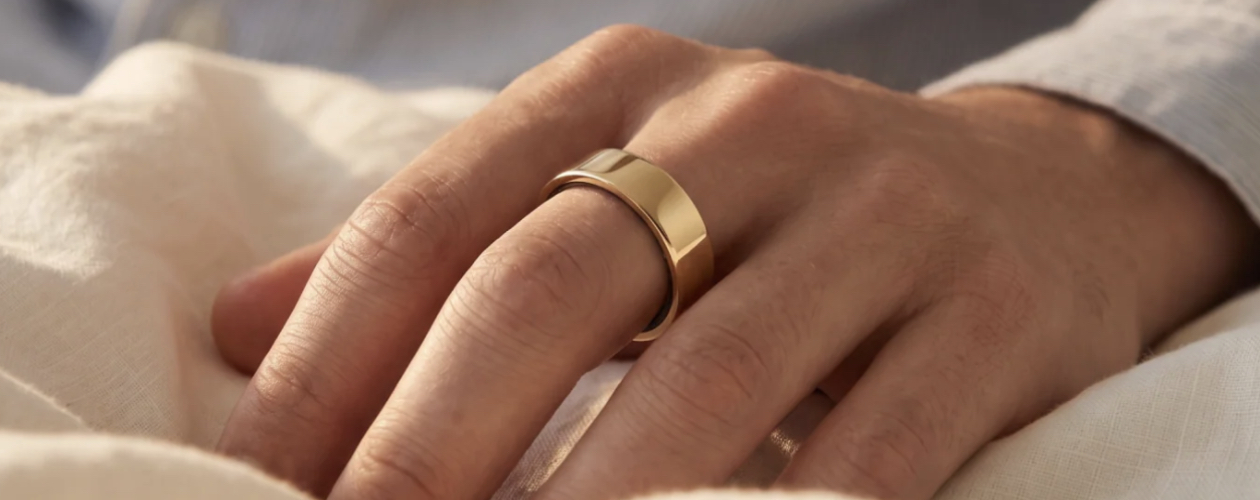

We’re always looking for interesting new ways for technology to shape and support our lives. In terms of sport, fitness and health, we use smartwatches, heart monitors, smart scales and all sorts of other bits of kit to dig into how we move, how we rest, and how our body responds through each day. Smart rings are the newer kid on the block, with miniaturised tech that aims to make tracking your health easier and less obtrusive. In the case of Luna Ring – now in its second generation – that amounts to a sleek, easy-to-live-with package, capable of providing an array of insights into how your body is functioning.
When I’m not playing video games or tinkering with controllers and headsets, I’m an avid amateur triathlete. I train five times a week, I have a coach, and I’m heavily into the Garmin ecosystem and checking out my data, both in Garmin Connect and Strava. Tracking my health and fitness are a key part of my daily life, and I was intrigued to see how the Luna Ring would fit into that, and whether it could improve both my training and my daily lifestyle.
The first step is sizing, and Luna Ring makes it as painless as humanly possible by sending a plastic sizing pack so you can find just the right fit. Let the team at Luna Ring know and, a few days later, your perfectly sized ring will drop through the door. Easy.
In the box, you’ll find the Luna Ring itself alongside a charging case, which has a weighty plastic clamshell design with some pleasantly soft-lit LEDs to show when it and your ring are charging. It fits into the case very easily, with an indent on the central post making it easy to orientate the ring’s three sensor bumps so that it’s clear that it’s in the right place for charging – a positive step up over the Luna Ring Gen 1.
Priced at £300 – though currently available for £260 – it strikes a good midpoint between cheaper smart rings and the top-end Oura and Samsung offerings. Of course, that’s also the price of a mid-range smart watch. The Luna Ring thankfully doesn’t require a further subscription to access all of its features, which is very welcome indeed, making that one time purchase make all the more sense.
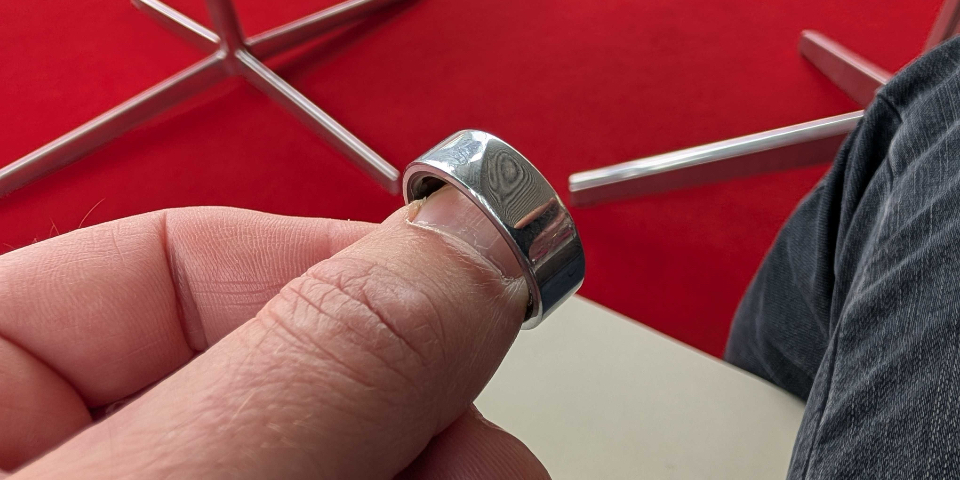
Luna Ring is available in a selection of colours, with our review unit coming in silver, though there’s also gold, rose gold, and two shades of black to choose from. The silver titanium finish is very shiny indeed, though after a month of wear, this did buff down and become less noticeable. In terms of size, it straddles the line between being just right and slightly too large, and for the first few days, I could tell I was wearing it. Soon enough, as anyone with a wedding band will know, you’ll forget it’s there, while it quietly captures a series of metrics for you to dig into.
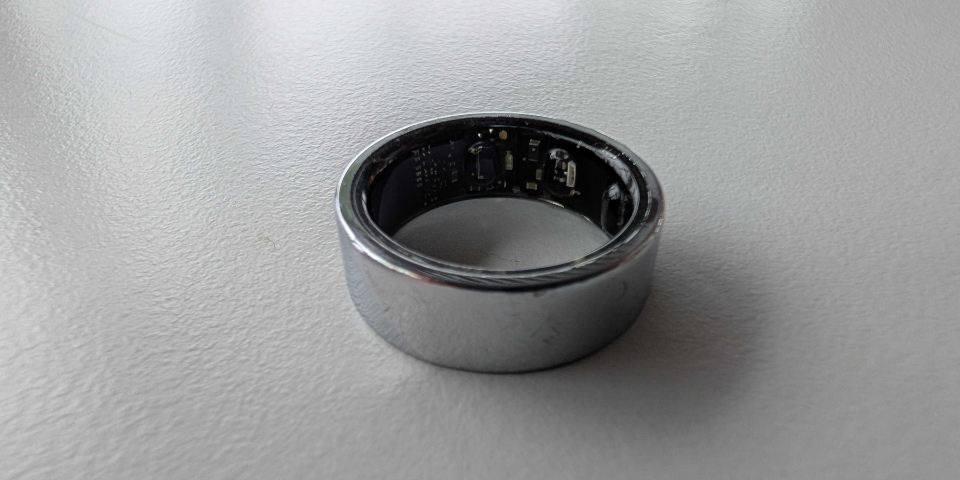
The band itself has a raised diagonal line, which indicates where the ‘top’ of the ring is, which helps to orientate the three sensor bumps on the underside of your finger. I like that the inside of the Luna Ring is clear, allowing you to see some of the internal circuitry, and it’s a fun thing to occasionally peer at when you’re taking it off, whether that’s to charge it or to wash your hands. I did find that I needed to make sure my hands were properly dried; otherwise, I experienced some mild irritation at times, but I do have relatively sensitive skin, and this is not unique to wearing the Luna Ring.
From there, it’s onto pairing, and you’ll need the Luna Ring app for iOS or Android. This is your ring’s point of connection where all your data initially goes to, through which you can then connect your data to both Apple Health and Google Fit. Depending on your setup, you can run your Luna Ring concurrently with other devices, pulling everything together, though if you’re using Garmin devices like I do, you’ll need to use an intermediary app, or just live with having your data in two different places.
That in itself was really interesting through the course of our review period. I wear my Garmin Fenix 7 Pro both day and night, and I was intrigued to see where the two devices agreed, and whether they differed at any points. It’s fair to say that a smartwatch and a smart ring serve two different purposes, and due to where they’re worn, and their key features, they’re each better at some things than the other.
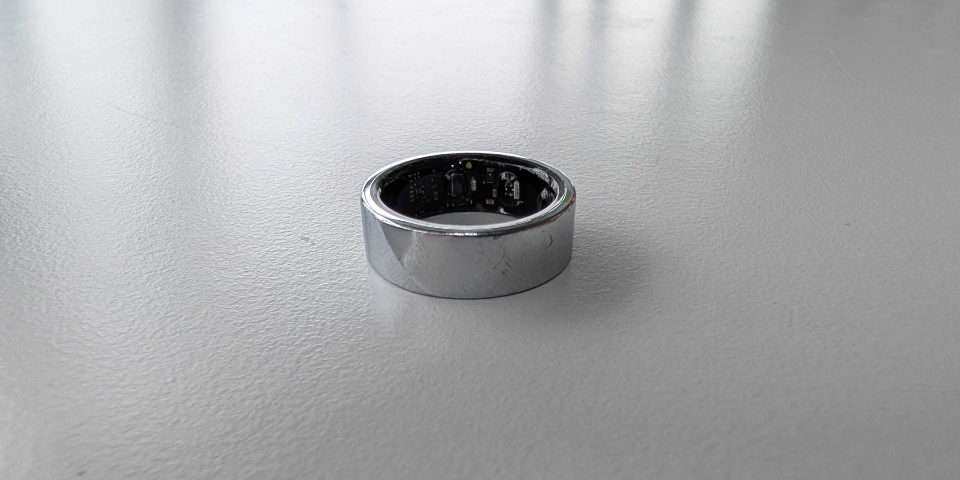
The advantage of a smart ring is that it is less noticeable, lighter, and less intrusive to daily life as a whole. The Luna Ring doesn’t buzz when you get a notification, or accidentally light up your room at night when you turn your wrist in your sleep. It’s just there, and its impressive 5-day battery life makes it easier to forget about and ready to track your sleep, especially when compared to something like an Apple Watch. Its battery life was, under testing, a bit better than the reported limit too, achieving close to 7 days of life before giving up.
A piece of tech is, however, only as smart as its software. The Luna Ring provides you with metrics on your heart rate, HRV, respiratory rate, skin temperature and blood oxygen, using these to then provide insights into your sleep, activity levels and circadian rhythm through the day.
The Luna Ring’s sleep tracking certainly seems more reliable than my Fenix 7 Pro, whether due to its location, or that it’s focused more closely on that feature. At times where the Fenix thought I’d only slept four or five hours, the Luna Ring had correctly captured the entire night’s sleep. It also tells you how much sleep it thinks you need, based on your ongoing activity levels, while breaking your slumber down into Deep, REM, Light and ‘Awake Sleep’ which sounds like an oxymoron if I’ve ever heard one. It can then highlight what you need more, though quite what you can do about that, other than going to bed earlier, is always up for debate.
This then feeds into your circadian rhythm – the ebb and flow of energy, alertness and wakefulness that your body goes through in the course of a day – and Luna Ring’s explanation and clear timeline really helped to focus my thinking on how I spend my day, and what I’m doing. It promotes natural light in the morning, caffeine later on (though that can affect your night’s sleep) and lets you know when you should be on wind down. While this is perhaps something we’re all aware of, seeing it clearly in the app helped me to focus my attention, and to step out into the garden and enjoy some fresh air. Do I think it’s helping me to function better through the day? Yes, I do.
There is a further aspect to the Luna Ring app, and it’s one that I’m torn on: AI. I’m the sort of person who’s happy enough to use AI as a tool when its appropriate, but loathe its lack of personality, and where it’s used to stifle or replace human creativity. Here, LifeOS is capable of pulling together your data and letting you know if you should be aware of anything in particular. Now, you can find all this data yourself, but there definitely is a time-saving aspect to using the AI summary here.
There’s a selection of voices, and you can have a ‘conversation’ with LifeOS, if that’s what you’re into. In practice, it simply summed up what I could see elsewhere, but it did weirdly tell me to warm up my shoulders before a swim, when I’ve been suffering from a muscle pull there. At no point have I told LifeOS that I have a pulled shoulder… but something, somewhere, was listening. If that sounds slightly too worrying, you can give this all a miss, especially if you think AI in general signals the beginning of the end times.
Where Luna Ring doesn’t fit quite as well, was with my training. It will automatically detect running and walking, but you have to manually approve each instance of these in the app. Anything else you have to add manually, and, if you’re already juggling Garmin Connect, MyFitnessPal, Strava and Training Peaks, it’s yet another thing to have to remember to interact with before you can actually get on with what you’re wanting to do.
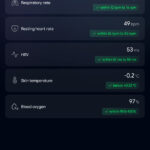
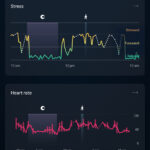

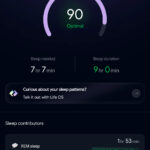
You can add an incredible array of personal data to your timeline, including whether you’ve drunk alcohol, taken supplements, had sex – this might be getting a bit too personal? – taken a cold shower, or even if you sleep using mouth tape or a nasal guard, and in doing so, you’re tailoring the information that much further for Luna Ring and LifeOS. It feels as though Luna Ring is primed to be the sole focal point for your entire health metrics, but it needs to automate/link with other fitness apps more readily, whether receiving weight data from Google Fit or food entries from MyFitnessPal.
Who is the Luna Ring for? I think anyone will benefit from the range of data that it provides. I’m not sure it’s completely aimed at serious athletes,though the metrics and insights certainly add a further deep layer of information to dig into, particularly in terms of rest, relaxation, and heart rate. I found the daily circadian rhythm information particularly interesting, and I think it is capable of changing the way you approach the day, whether that’s striving for better rest and recovery, or knowing when the best time to tackle that huge assignment is.
