

Around the launch of Windows 10, I looked into the operating system’s built in ability to stream Xbox One games onto PC. While I personally didn’t see the appeal at the time, it has since dawned on me that there are those out there that would like the ability to play on a semi-decent screen without splashing out on new technology. I see its use now, when the TV is in use by someone else and you’re blocked from being able to play games.
Upon retesting Microsoft’s offering in preparation for this article, I was met with nigh-on flawless performance and while I was able to get it running at “Very high” quality over my WiFi, I had to work out what that actually meant by reading posts. It’s still a viable way to play games, though I’d also still recommend that those looking to playing multiplayer games wait until the TV is free, because of the small latency that playing remotely adds.
With last week’s firmware 3.50 update to the PlayStation 4, you can now pull the same trick if you’re on Sony’s platform and play PS4 games on PC and Mac. Remote Play isn’t exactly a new concept for Sony, having first been a little used feature between PS3 and PSP. That was eventually superseded by the PS4 and PS Vita, but now the net has been thrown wider to encompass computers for the first time. So how well does it hold up against Microsoft’s dedicated solution?
Unlike Microsoft’s option which is integrated into the OS, there is a tiny bit of setup required in order to get the PS4 image onto your PC. This is thankfully a relatively painless process, where an app needs to be downloaded and installed – you can find the Remote Play apps found here. One key thing to note is that Windows 8.1 and Mac OS users also get some love with PlayStation’s app, while the Xbox offering is exclusive to Windows 10 owners. Make sure to double check the system requirements at the bottom of the page.

My current laptop is no slouch, with an Intel i7 2.60ghz quad-core processor with an AMD Radeon HD 7970M and 12gb RAM. It can handle the incoming Xbox and PlayStation streams, but while the ideal streaming solution would have consoles and computers connected to an ethernet network, I was running over WiFi, as the far more common use case in a typical household.
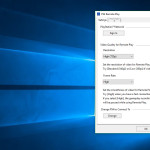
Once the app is installed, there is another tiny bit of setup involved to make your games look somewhat competent. You’ll need to be connected to the internet and ensure that the PlayStation 4 that you are using for Remote Play is your registered console. There is the option to manually set this up as well just in case this doesn’t work for you, however my experience during setup wasn’t met with issues.
Further options are available upon registering the console in the Settings button. One major drawback is that you won’t be able to play at full 1080p, with 720p the maximum resolution you’ll be seeing. You can however manually set the framerate that the Remote Play app runs at, which unlike Microsoft’s offering, is transparent in showing what performance you’re actually getting.
As a proof of concept, it certainly does a lot of things that Microsoft’s Xbox is able to do, but there’s one massive problem at the time of launch that they need to address: There are some severe connectivity issues.
I am able to run Microsoft’s Xbox streaming at “Very high quality” or 1080p streaming at a frame rate that makes Killer Instinct playable. This is much more demanding on system resources than Sony’s offering running at a maximum of 720p at 60fps. While I didn’t experience any issues with connectivity using the Xbox, Remote Play did temporarily drop the connection multiple times.



This has the rather unfortunate side effect of the controller cutting out while the app tries to bring back the Remote Play experience. If you’re playing a fighting game or even the taxing Bloodborne/Dark Souls games, this could mean that you take a severe amount of damage. While Sony recommend those who have performance issues try lower framerates and picture quality, I found that this does not resolve this primary issue.
With Street Fighter V, I took the newly released Alex on the ranked leaderboard to see how well he fared. When the app wasn’t cutting out, it ran fairly well and I was able to pull off a few good combos. However, even running at maximum quality to match the game’s 60fps fighting, the time latency between signals was a little cumbersome to overcome.
Next I took Guilty Gear Xrd Sign for a quick spin around arcade to see if the performance still held up. Graphical quality did take a bit of a hit, thanks to the limitations of the app to run at anything higher than 720p, but performance was the same as Street Fighter V with a bit of a latency to overcome.
Finally, for a bit of fun, I decided that Dark Souls III needed to be tried out. This is when I saw possibly the worst offending moments of connection issues, though it’s not going to be connected to the game itself. The system could struggle with compressing the game’s dark visuals, resulting in some particularly gnarly and muddy images.
While the system works as a whole, building off the same framework as the existing PS Vita, PS TV and Android tablet streaming functionality, the team at Sony need to work on the connection stability issues in order to be comparable to the more stable Xbox One to PC streaming. If you’re okay with sacrificing a little bit of the picture quality for the ability to play using your PC as the TV while your family want to watch something else, this is an alright solution. Once they’ve ironed out the kinks, it’ll be a viable space-saving solution.



DrDamn
Was your PS4 wired and if so do you have the option to connect directly to the wifi on the PS4 rather than through the router? You get a much better remote play experience on PSV that way.
Dave Irwin
As I mentioned in the article, I used WiFi for my tests on both systems and streaming to my PC. You’re completely correct in that a wired connection is much more stable.
Carrot381
I tried this out a day or so ago but found the lag a little too much to make it viable. Not sure if this is my cheap and cheerful Sky basic wifi, my laptop or just how it is, although I have no such problems via the Vita.
Dave Irwin
If your laptop meets the system requirements on that Sony page, it should be fine. You may get better results with a wired connection, but not every household can do this. Your router may be a factor, but even with a high speed internet service there are problems.
Carrot381
Unless the requirements specifically mention my laptops innards I’m at a loss as to how to compare these things.
I do know it has 6gb ram, an i5 processor and a radeon graphics chip.
gazzagb
I wonder though if Sony will actually iron out the kinks, they seem so half-hearted with new things. Just look how long it took them to be able to search for PSN Communities!
mypetfrog
I set this up with my Etherley connected Ps4 and macbook via WiFi and the experience was flawless. Very very impressed and so much better than the vita and Xperia tablet connections. Set at 720p at 30fps and have been happily playing fifa on the macbook… Love it.
MrYd
I gave it a go with a PC which is pretty much on it’s last legs. Still technically meets the minimum requirements (actually, I think it exceeds them, and it’s 5 or 6 years old!)
And the PS4 and PC are both on WiFi. And yet it somehow just works with no issues at all.
Also, I tried it with the PC right next to the TV with the PS4 on. Just moving around the PS4 menus gives interesting results. The response on the PS4 is pretty much instant. No visible lag there. Hit a button, things happen straight away. They then happen on the other screen (the PC) at about the time my eyes can look back at that screen.
There’s less lag than I get if I take the audio from the TV to the surround sound amp rather than using the optical connection on the back of the PS4. (Something that can really mess up any games requiring accurate button pressing in time with music)
I’m guessing around 50ms. So 1.5 frames at 30fps. Not something that should cause issues in the majority of games. (And to be honest, not something that’s going to cause any issues at all for anyone in their 40s. Some younger people may find things are different. But at least I need to shave more than once a month. Not saying I do, but I could if I wanted ;)
ron_mcphatty
I had a quick go, really pleased that it worked on my tablet! I’m using the trick of singing into remote play on a second account then using the controller paired with the PS4 on my main account, so only streaming the picture for a low-ish lag solution while my wife watches Say Yes To The Dress. Like you Dave I’m suffering drop outs, but my Vita over the direct connection never drops. Hopefully it’s Sony’s app and not my Sky router, I can’t imagine them doing many updates seeing as they only released two versions of the PS3 PC remote play app, seems like a tick box exercise in adding features to me. Maybe the competition with Microsoft will be some motivation to improve the app?
Carrot381
Maybe I should try singing into my remote :)
ron_mcphatty
Oh yeah, Berlinda Calisle works the best :)
homerjnick
I’m sorry but testing it via wifi is pointless due to the number of “other” factors that come into play…just because the X1 works fine one day and PS4 does not really doesn’t mean that the streaming remote play is poorer from Sony.
That’s like taking 2 different golf clubs to the same golf course on different days and comparing results…the factors involved change…
Wired is the true test…please do that and post your results.
I have wired in my house and have ran both X1 and PS4 via their streaming tools…I played NFS 2015 just a few days ago on my Win10 laptop using the Playstation App and whilst the sight lag input was there it was still playable….but no connection drops.
Avenger
WiFi is WiFi, it doesn’t change with the wind. Results are pretty much accurate as long as the comparison is done in relatively the same location with the same amount of sources connected.
Also I’m not seeing anything about tests here. Just a practical comparison made over an everyday home WiFi which most people will be using over a wired connection.
MrYd
I think the wind possibly does make a difference to WiFi. All those radio waves flying about (from your WiFi and others nearby) will be affected by many different things. If the wind’s changed, that suggests other factors have changed. Rain, air density, and the general structure of the atmosphere.
All of those things will affect how WiFi signals travel. You may find you get more interference from others. Or less.
Ok, so the effect will be tiny compared to the strength of your WiFi signal. And your neighbours. But it’ll still be there. So it does change with the wind, but you’d never notice.
homerjnick
What? WiFi doesn’t change but things around it do…baby monitors…radio waves…even weather…there are so many factors involved that affect wifi performance that it is simply unacceptable to test an app based on wifi…
To turn around and say a developers app doesn’t work too well on wifi is crazy when the issue might be interference or poor wifi that the person who is doing the testing has!
The reviewer says Sony needs to iron out the connection drops…but they do they occur in a wired situation? Therefore wireless may be the issue and Sony have no control over how good someones wifi is or the interference they may have.
Avenger
I guess I’m the only one living in a house with four walls.
It’s quite possible I’m also the only one who uses WiFi, and everyone else uses a wired connection for everything. I mean it’s not like this article is relevant or anything, that would be just plain silly.
homerjnick
The article has nothing to do with what the norm is in a house, yes we all have wifi…the article is about the PlayStation Remote app streaming the PS4…and it as concluded that it needs fixing when the test platform was wifi which cannot be trusted to give a true reflection of the actual app.
Surprised so many don’t get this.
Stefan L
WiFi can be affected by other factors, but Dave’s was a comparison in a like for like situation, and while the Xbox One connectivity seems to be working A-OK these days, the PS4 Remote Play flaked out. It’s as simple as that.
We weren’t counting frames to determine how much latency there was, examining video bitrates or anything like that. This was the scientific equivalent of walking into Greggs and biting into two adjacent steak bakes to see if they’re both hot.
MrYd
Surely testing it via wifi is _exactly_ what should be done. It’s how most people will have things connected these days.
And really, the only benefit to a wired connection is the theoretically faster speed. In most cases, you’re not anywhere near that speed limit anyway. And WiFi is just so much more convenient.
hazelam
if the two devices are in different rooms then there’s a world of difference between wired and wifi.
homerjnick
“And really, the only benefit to a wired connection is the theoretically faster speed.”
Nonsense…WiFi is nowhere near as consistent in keeping a connection over wired and that is what this reviewers issues are…speed is one thing but a consistent connection is far more important and wired will always bear WiFi for that and that seems key for remote play.
MrYd
If you’ve got things set up properly, you shouldn’t have any problems with WiFi at all.
That means making sure everything is in the right place. So don’t stick your router as far away from everything as you can, right next to phones and a microwave. And pick the right channel.
If you do that, you shouldn’t have any issues. Except you’ll get a slower speed, but that shouldn’t be a problem. You should have a perfect acceptable, stable connection.
I think the whole “Wired beats WiFi for gaming” thing is based on 2 things. One is theoretical benefits you stand zero chance of noticing in real life (assuming you’re not putting your router in the fridge or something stupid). The other is a support thing. Sony recommend a wired connection. Because you just plug it in, and it all works. Then they don’t have people complaining about it not working with the many potential WiFi setup issues. They can just say “try a wired connection” and that’s the problem solved.
Do it properly, and there’s not really any benefit to a wired connection over WiFi.
homerjnick
But there are still external factors that you can do nothing about that affect a wifi connection…but that aside the conclusion of the article is not fair to the app makers because it may be non-Sony factor like bad wifi that have affected the reviewers experience.
MrYd
You know what wouldn’t be fair? Testing it in perfect conditions and saying it’s great when the reality might be different if (as most people will be) you’re using a WiFi connection.
It’s perfectly fair to point out issues doing it over WiFi. Even if others might not have those problems. It’s also probably fair for Sony to then say “We recommend a wired connection, so not our problem”. They’ve got an excuse there if they want to use it.
homerjnick
“This was the scientific equivalent of walking into Greggs and biting into two adjacent steak bakes to see if they’re both hot.”
Yet the conclusion is one was good and one was not even though they came from the same batch…but what other factors could come into play? Was one near the window that was open etc? Is that fair to the steak bake that was deemed not good?
I’m happy with your analogy of “This was the scientific equivalent of walking into Greggs and biting into two adjacent steak bakes to see if they’re both hot.” but the reviewer came to a conclusion about an app that others might read and believe the issue lies with the app rather than the multitude of factors that could affect the test platform.
Stefan L
OK, so, the Xbox One and the PlayStation 4 are both hooked up to the same TV, they’re both the same distance from the same router which is actually in the same room, and Dave tested them both going back and forth from one console to another.
It all comes down to this simple fact that when presented with the same set of conditions, one system worked flawlessly and the other didn’t work quite as well. The router was actually the most consistent point, because it’s built in software compared to third party on the PC, the two consoles might have similar APUs, but the software they run is totally different and the chipsets used and antenna configurations could be completely different as well.
There’s also a huge number of times when Apple, Microsoft or whoever have released products which have had flakey WiFi connections and patched them via software. Software can do a hell of a lot to fix or work around hardware problems, and seeing as this is Sony’s first crack of the whip with the software, we’re hopeful that, just as Microsoft did with the Xbox One to Windows 10 streaming, future updates can make it more stable.
zakwhorules
I tested this over Ethernet and had no issues what so ever. Played NFS and Amplitude 720p@60FPS both were easily playable and I didn’t drop connection once.
Only gripe I have with it, is it’s a little blurry when full screened on my 2560×1440 monitor. However that’s to be expected when you stretch something to 4 times it normal size.
Also this isn’t the first time Sony have done Remote Play on PC. You could do Remote Play on PC with the PS3, however this was only official supported on SONY VAIO PCs and Laptops.
homerjnick
My wired experience was the same as yours…this entire article is misleading.
Avenger
No it’s not misleading, it happened. So one person’s experience was different from yours, what do you know, it happens.
homerjnick
But that experience is affected by other factors that affect the very product he was testing…the true test has to be wired if you want to see how the app performs…because the grade of wifi is hugely different from person to person, router to router compared to wired.
I don’t have a problem with it being tested on wifi but you can’t turn round and say it doesn’t perform well and Sony needs to fix it when the app may be perfect on a consistent connection…Sony can’t make it work on ropey wifi.