
http://www.youtube.com/watch?v=a7W5f7rBcM8
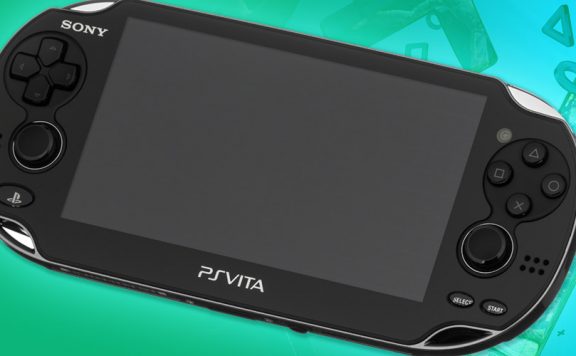
Alright, this is pretty cool. You can’t normally watch YouTube on a PS Vita (due to Sony’s browser not running Flash and YT not being set up for the console) but this is a neat workaround.
The author of the above video uses a Javascript trick, but admits to not actually inventing it – for example, there an earlier video here doing the same thing. Regardless, he’s shown us how to do it, and for that we’re all rather grateful.
Basically, open the Vita browser, and go to this page. Then click and hold on “PSVitaTubeDownloader” to ‘open’ the link. Nothing will happen, that’s fine.
Then go to the ‘…’ in the bottom and ‘add bookmark’. It’ll add the Javascript as a bookmark.
Finally, the good bit – go to YouTube as normal in the Vita browser, search for a video and then try to view it. It won’t work, but then click on the Vita browser ‘heart’ icon for the bookmarks and you’ll get a download link above where the video should be.
Then, via the browser, download the video to your Vita. It’ll be in the Videos app.
Please note that we’ve not checked the Javascript itself and can’t vouch for it’s security or safety, and advise you get that checked yourself if you’re concerned. Also, YouTube might switch off this workaround at any time.
Via NeoGAF.

bmg_123
So are Sony ever adding Flash support? Nice to have a workaround, but still…
Workshed
Probably not, Adobe don’t even support full Flash for Linux anymore so what hope has the Vita got? Personally I couldn’t give a monkeys about Flash on the Vita.
colossalblue
Flash isn’t supported in many, many leading platforms now. iOS is the obvious one. Luckily, YouTube has its videos in HTML5 now so they all work on iOS without the need for the resource drain of Flash. Unfortunately, the Vita doesn’t do HTML5 at all and its Java support is very dodgy too, which at this point in internet development is a much more serious issue than not having Flash.
shields_t
Plus without Flash support, it won’t need updating every three days to iron out previously unknown secuity flaws.
cam the man
Will give it a go, cheers.
colossalblue
Jeez, that sounds like a lot of fiddling for something that even Internet Explorer 6 can do ;)
nofi
Ah, it’s really not. Once you’ve got the Javascript it’s one click extra per video, then you can download it.
Kennykazey
But what if I don’t want to download it, but watch it in the browser?
parryman
Sounds like a lot of faff to watch videos of people falling over.
tactical20
Agreed. 99% of Youtube is stuff you wanna stream, not download.
TSBonyman
Cool, I must try this later. ps3youtube uses some similar javascript thing for ps3 i think.
Tanzil
And if you look in the general chat forum, I posted this a little while back. just saying.
Burgess_101
I was just about to say!
Tomhlord
Yay, I can watch Vita on my YouTube
Jakster123x
Shouldn’t have to do this, though. Youtube should of been available from the start.
Ah well, not a big deal.
JesseDeya
This is actually way better than just being able to watch Videos, I love saving YT videos (I use Chrome Youtube Downloader normally) and having this on Vita is a WIN!
Thanks nofi :)
yl_ksaa
Here is a short version of that link
goo.gl/3HI64