
It’s been leaked no end that PS4 system update 2.50 “Yukimura” was in beta testing over the last few weeks and would bring a number of highly anticipated changes and features, but Sony have now officially announced the update’s features and also that it will be heading to your consoles tomorrow.
The biggest feature is suspend/resume, finally allowing you to return to the exact spot that you left off in a game in a matter of moments, but there’s also improvements to Share Play and Remote Play and tweaks to friend discovery and party set up.
There will also be an accompanying PS Vita and PlayStation App update to compliment and enable some of these things to work.
The full list of features is as follows, courtesy of the EU PS Blog:
- Suspend/Resume: Supported by nearly all of your PS4 games, you can jump in and out of your games with just the press of the PS button. Quickly switch from Rest Mode to powered-up so you can pick up where you left off.
- Back-up and restore HDD to USB: Back-up and restore your hard disc drive data associated with users on your PS4, including settings, saved data, screenshots and video clips as well as games, patches and download data, to and from an external USB drive.
- Find and connect with friends: “Yukimura” adds to an already robust set of social tools, bringing several updates to continue making PS4 the best place to play with your friends, including:
- Facebook friend finder – Using your linked account, you can expand your network by searching and connecting with your Facebook friends.
- Improved friend requests – Friend requests and Real Name requests can be sent together in one step when adding a friend on PS4.
- Streamlined Party process – The process to create a Party has been streamlined with a reduction in the number of steps required.
- Find friends who play your games – Easily view what friends are playing on each game detail page with a real-time “Friends Who Play This” section, which also highlights which friends are currently online and playing it, and allows you to jump directly into the game.
- Join Friends directly from news feed – A new tile will be added on your What’s New feed where you can see what your friends are currently playing, enabling you to join in the game if you own it.
- Share earned trophies and optimise your trophy list: We know that Trophies are important to many gamers, so we’re bringing more control with how you show them off:
- Automatic Trophy screenshots – A screenshot will automatically be captured when a Trophy is earned, preserving the moment to share with friends.
- SHARE Trophies – Players can share Trophy information to Facebook, Twitter or via Message by pressing the SHARE button.
- Additional Trophy sorting options – Sort your Trophy list by Earned Date, Not Earned and Grade.
- Delete 0% Trophies – Remove games from your Trophy list that have zero percent completion.
- Improved and expanded accessibility options: New options added to customise the user experience include:
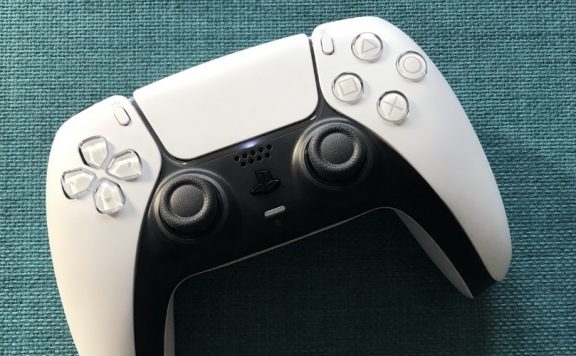
- Customised button assignments for DUALSHOCK 4.
- Zoom for displayed pictures and inverted colors for all system functions, apps and in-game.
- Text-to-speech for all graphical user interface, including Message and Party.
- Enlarged text for all graphical user interface, including Message and Party, as well as the system’s browser.
- Bolder fonts and higher contrast UI for all system applications (but will not apply to games or third-party applications).
- Remote Play and Share Play: For games that support 60 fps, users will be able to automatically enjoy those games with 60fps for both Remote Play and Share Play* on supported devices.
- Automatic installation for system software updates: Enable automatic installation for future system software updates.
- Sub-account upgrade: Enable users 18 years of age or older with sub-accounts to upgrade to a master account directly on PS4, removing restrictions on chat and enabling users to add funds to their Wallet, purchase content and more.
- Verified Accounts: Select game developers, producers, designers and community managers will be verified with a badge.
- Dailymotion: Upload video clips directly to Dailymotion via the SHARE button.
Source: PlayStation Blog
beeje13
If the Spotify app isn’t included with this update, it will have to in another as Music unlimited is a core system app and will need to be removed by new system software.
Pitcher-T
I thought I read somewhere, I may be mistaken, that the Spotify app is launching next Sunday.
MrYd
The update seems to have gone live sometime in the last 30 minutes or so. 245.2MB of it downloading at a decent speed for a change. Downloaded in the time it took me to type this. (Ok, a bit longer, but I’m in desperate need of coffee, so I’m typing in between drinking it)
MrYd
One thing I’ve noticed straight away, which is quite neat…
It gives you a load of notifications about the new features. Just go and select those and they take you straight to the relevant settings screen or just tell you about the features. They’ll show up under the new “Discover” section of the notifications screen.
A simple little feature and hopefully one they’ll keep using whenever anything else gets added in further updates.
The store has moved from the top row of icons down to the bottom row (where your games live).
And sadly the backup feature is a bit crap. The only option is a single checkbox for “Applications”. It’ll backup captures, saved data and settings, and as an option, “applications”. All or none of them.
I guess you could do multiple backups, probably involving more than 1 USB drive. Install 1 set of games, back them up, delete them from the PS4, install another set, back those up, delete those and restore the first set. Or buy a nice fast external drive (because it’ll take forever on a crappy old USB2 device), back everything up there, buy and install a bigger drive in the PS4 and restore to that.
Or Sony could just give us the simple option of archiving stuff to an external drive, or better yet, install things to such a drive. But that’d be too helpful, obviously.
MrYd
And holding down the PS button now gives you a “close application” option. Which is slightly easier than before when it wasn’t there.
Forrest_01
What do you mean? Holding the PS button has always presented ‘Close Application’ as the first option when in game. It’s how you exit games back to the XMB!
Unless you mean that this is an option somewhere else now?
MrYd
I’m sure there wasn’t an option on the “hold the PS button” menu? Tap the button to get out of the game, press options, and “close application” is there, but it wasn’t on the other menu, was it?
Unless it’s been there for a while and I’ve not noticed. Which is entirely possible.
It’s always just had “adjust devices” and the log out, standby/rest mode and power off options, hasn’t it?
MrYd
Oh, and that suspend/resume mode is very nice. It takes just 8 seconds from pressing the PS button to being back in the game. And at least 1 of those seconds is the controller waking up and the PS4 realising it’s been told to come back to life.
Forrest_01
Yeah, if you are in a game, holding the PS button has always (or for some time at least) presented a ‘Close Application’ option at the very top. It’s how I exit all of my games.
Other applications I cannot speak for however, as I only ever play games on my PS4.
On the flipside, I actually had no idea you could press the PS button & then options to seemingly get to the same menu. Learn something every day! :)
Pitcher-T
I may be lame, but I’m really looking forward to downloading this. I love proper firmware updates.