
There’s merit in checking the iPhone (and, of course, this applies to the iPod and iPad) App Store on a daily basis; sometimes something wonderful comes along that is promptly pulled by Apple after only a few hours. This happened with ZX Nostalgia and, yesterday, happened with a brand new application, iDOS.
iDOS has been sat in approval limbo for months, but recent rule relaxation from Apple has meant that certain apps that would have been refused before can now make it through, and this includes emulators. iDOS isn’t just an emulator, though, it’s a PC, on your iPhone. Seriously, it’s a version of DOSBox and if you know what this is and didn’t grab iDOS yesterday, you’ll be kicking yourself.
Yes, iDOS has been pulled. I checked this morning and it’s no longer on the App Store. Whether this was because of the sheer flexibility of the App or whether it was due to two games from Namco being included in the package (Ms. Pac-man and Dig Dug) I don’t know, but I’m hoping the developers can resolve any issues and re-submit.
Why? Because it’s utterly brilliant. Regular TSA readers will know that I’m a massive retro fan, and although I was mainly a follower of the Spectrum/Amiga/Consoles path I did use a PC back in the 286 days (and before) and have fond memories of DOS, Windows 3 and all the games that go with it. When iDOS appeared yesterday, pigs in shit couldn’t have been happier.
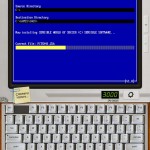
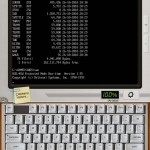
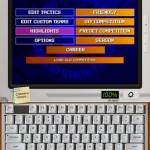
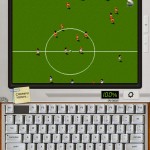
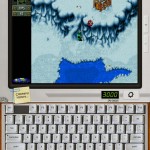
I’ve included some grabs of my tests with the iPad version below, you’ll see that iDOS has no problems running both Sensible World of Soccer and Cannon Fodder (although the latter’s mouse controls were a bit tricky) and the seminal footy game is every bit as good as you’d remember.
How does it work? Well, the App itself just presents you with a DOS prompt, you’ll need to have some games to put on it if you want to play anything other than the two included aforementioned NAMCO games. But that’s so easy – iTunes offers you the ability to drag and drop to certain Apps so connect up your iPhone or iPad, sync and then fire over some .exes or .coms, disconnect and then restart iDOS.
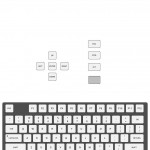
There’s a permanent full keyboard (on the iPad version at least, the iPhone version uses a transparent overlay) in both horizontal and vertical, and you can switch to full screen and use an on-screen (configurable) keypad to control your game or application. The mouse is used by just dragging your finger over the playable screen, and the speed of the cursor is also controllable via a little slider. iDOS really has every angle covered apart from save states and plug-in controllers, which was reserved for a future update.
Yes, you’ll need a (very) basic understanding of DOS, and yes, the controls aren’t perfect, but I don’t care. This is a DOS-based PC (although it will run Windows 3) on my iPad and iPhone (it’s even running in Retina resolutions on the iPhone 4) and I’m in heaven. And the price of the App? 59p.
Blissful.





minerwilly
Cool so there are 3 of these on Android Market , might give this a go one day .