
Update: The updates are now live! If you want to update by downloading the file to USB, you can get this here.
A lot of people are quite excited for the latest PlayStation 4 firmware, numbered at 1.70 and having been teased and talked about for what feels like aeons. Then there’s the crowd of people who are simply annoyed Sony have prioritised an overhaul of sharing functionality, rather than adding support for their favourite PS3 feature.
As the clock struck midnight in the UK, Sony took to their blogs to post the full feature list for this update, which is finally set to spread across the globe on what is now today. No, there’s no MP3 support or DLNA, but there are a few little tweaks and changes which haven’t been mentioned before. There’s also an update for the PS Vita and to the PlayStation smartphone app.
But first, the full and unadulterated change list for firmware 1.70, direct from the PlayStation Blog:
SHAREfactory: After you update your PS4 to v1.70, an icon to download our free SHAREfactory app will appear on your PS4 system’s home screen once it’s available. Once installed, SHAREfactory allows you to easily customize your gameplay videos with special effects, video commentary with picture-in-picture capability through PlayStation Camera, and custom soundtracks using the included audio tracks or your original music imported from a USB drive. You can then share your videos on Facebook or export them to an external USB storage device. The app is packed with plenty of cool, but accessible, tools. It’s simple enough to use for beginning editors, while functioning as a rich video editor for those with more creative aspirations. Check out our new SHAREfactory video above that provides a walkthrough of what you can expect:
Automatic pre-download: You’ll soon be able to start downloading select pre-ordered games from PlayStation Store. This new feature allows you to get to your games faster by automatically downloading select pre-ordered games up to several days in advance of the release, so that it’s ready to play as soon as the game is released on launch day. There’s also a countdown timer prior to the release of the game so you’ll know how soon your game will be available for you to start playing.
Option to disable HDCP for games: This highly requested feature will allow you to have the option to turn off HDCP for games so you can capture longer gameplay sessions directly from your HDMI output and export them elsewhere.
USB export option for captured gameplay: It’s now even easier to show off your heroic gaming moments and the SHAREfactory videos you create with the world using this feature to export your videos and screenshots to a USB drive. Just click on the DUALSHOCK 4 SHARE button, save your gameplay on a USB drive, and then share your proudest achievements on other social networks and other video platforms.
Live broadcasting in HD and archiving support: We’ve increased the resolution for live broadcasts so you and your friends can watch games livestreamed in 720p HD. You can also archive your broadcasts on Twitch or Ustream and watch them again later.
New SHARE options: We’ve got a number of new SHARE settings that will give you better control of what you want to share with your friends. Here is what you can look forward to:
- Change the default gameplay recording time in the SHARE menu under Video Clip Settings.
- Save only the video clips and screenshots you want by selecting Upload Screenshots or Upload Video Clips for each capture. Also upload video clips and screenshots during your live gameplay broadcasts.
- Select specific Facebook audiences to share each video or screenshot with.
New DUALSHOCK 4 options: New light bar settings have been added for DUALSHOCK 4, allowing you to change it to Bright, Medium or Dim in the Settings menu. The touchpad has also been updated, allowing you to navigate the on-screen keyboard using the DUALSHOCK 4 touchpad.
New Friends options: It’s now easier to find Friends and send requests with the ability to search Friends-of-Friends, view Mutual Friends on another user’s profile, and accept Friend requests directly from the Friends list.
New Trophies sort option: You can now sort Trophies by rarity in the Options menu.
PlayStation Store payment support: Similar to PS3, we’re introducing Alternative Payment Methods (APMs) for PS4 for content purchased on PS Store, starting with PayPal support.
More PlayStation Camera commands: More voice commands are added to PlayStation Camera, allowing you to launch the apps installed on your PS4 with the sound of your voice.
New PlayStation Plus icon: For Plus members, you’ll now have the PS Plus icon appear next to your SEN ID on the login screen, home screen and other areas across the PS4 system’s sleek user interface.
Music Unlimited SHARE options: With a Music Unlimited subscription, you can easily share your favorite songs with your friends by pressing the SHARE button on your DUALSHOCK 4.
Meanwhile, PS Vita firmware 3.15 makes just the one change:
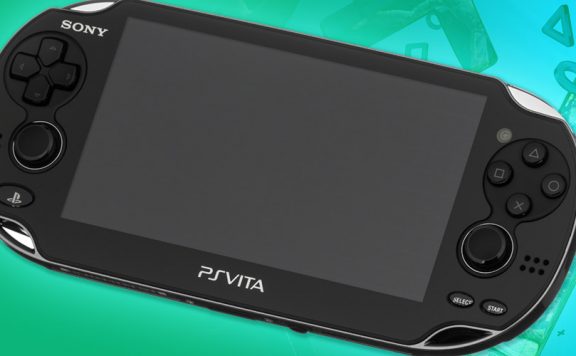
PS4 Link update for Remote Play: Linking your PS4 and PS Vita together will now be easier with the 3.15 update for PS Vita. It’ll enable Automatic Device Registration, which will automatically detect and pair both systems when they’re both online and the same user is signed in to both devices. This makes it even quicker for you to get started on Remote Play or access other second screen features.
Finally, we have PlayStation App 1.70, the details of which I have pulled from the iOS update which went live yesterday evening. The Android update does not appear to be available at this time:
- Notification alerts are now supported.
- Thumbnails are now displayed for screenshots and video clips that are posted to Twitter or Facebook® as activities. (To use this feature, you must have a Twitter or Facebook account.)
- Resolutions for iPad 2 and iPad mini are now supported.
- Pictures you take on your iPad, iPhone or iPod touch can now be set as your profile picture.
- You can now send a PSN℠ Friend request to your friend using email or text.
- Stability during use of some features has been improved.
So, have you spotted any new little tweaks and fixes that send you over the moon? I’m personally quite curious how the touchpad keyboard will work, and being able to get notifications of messages on the iOS app could be quite handy, too.
Source: PlayStation Blog, iTunes


Taylor Made
No trophy ping?!
I am gutted, disgusted! But no seriously no trophy ping, no friends online alert, why would I care for mutual friends, half of the friend in my psn are randoms. Nice update
Amphlett
Trophy ping – You’ve got a point there! I miss it. Surely it would be quite an easy cut&paste of code to implement a trophy ping. Perhaps they could add a sounds toggle in the options menu for people to turn the ping on/off?
Phizzy
I don’t understand; I definitely have a trophy ping on my PS4.
camdaz
Lots of good stuff but still no Suspend mode :-(
blarty
Personally, I couldn’t give two hoots about suspend/resume – most pointless feature ever once you realise the benefits are superficial at best
Avenger
Blimey, I thought PS4 already had that. I’m starting to wonder at some of these updates just how much functionality PS4 has at the moment. Seems like it’s a lot less than was originally touted.
blarty
XBox One does but when I’ve used it it’s buggy and actually gets in the way of nightly updating of your games – for the sake of two minutes to get into a game it’s a feature without a problem, especially when you know the consoles memory is going to be ‘clean’ rather than a continuation of a session you started 2 weeks ago and have been playing a few times since.
BrendanCalls
I think it does have suspend and resume. i moved between FIFA14 and Netflix and FIFA I am sure it asked if I wanted to suspend FIFA until Netflix was closed
blarty
Suspend and Resume is essentially the ‘hibernate’ feature you have on Windows, etc.
Unfortunately, if anyone’s tried to suspend and resume a PC that’s running something akin to Skyrim, you’ll know just how well that turns out.
DirtyHabit
Wait. What do you mean? I use a suspend mode all the time on PS4. Its great when you want to take a break. I often jump from game to iplayer for a ciggie and cuppa break and then back again. They both pick up from where I left off.
Although you can’t switch between games you can switch between apps and games….
Are we talking about two different things?
camdaz
While playing a gaime the Suspend Mode would let you put the PS4 into standby mode, then when you ‘wake it up’ the game continues where you left off instead of having to reload the game.
DirtyHabit
Ah ok..
Amphlett
Automatic pre-download sounds interesting. On a similar note, I wonder when they’re going to implement the ‘download game patch whilst in standby’ option?
Stefan L
It already does, but the manner it which it checks for updates is different to the PS3. Rather than wake up at a set time, which could be considered inefficient, it instead checks for updates whenever it’s turned on by the user, adds them to the download list and gets on with it. If you set the PS4 to standby while a download is in progress, then it will continue in a low power mode (that’s why the fan keeps spinning, it’s downloading patches and uploading saves to the cloud).
It’s only if you don’t go on your PS4 for a day or two that it will wake up and grab patches automatically. These then pop up when you next turn the PS4 on, but were actually completed previously if you check the download list.
Personally, I’d like to have the old style download system back.
Amphlett
To be fair, the touchpad/keyboard function sounds quite useful. Nothing much else in that list interests me.
TSBonyman
The only way i would really like to be able to sort my trophy list is by date earned but overall it’s a step in the right direction. The USB export function will come in handy and i’m also looking forward to checking out the rest.
I’m a little disappointed at the lack of MP3 and DLNA support, but my PS3 has that covered so it’s not a huge priority for me.
phantom5813
Im still waiting to be able to remove games from my trophy list that are at 0%. Let me know when that happens
Andrewww
Trying to be positive, this is a start. But realistically, how they prioritise their feature list is beyond me. There’s lots of more important stuff than most of these tweaks.
Still, there are some interesting things in it. I wonder whether I’ll be able to connect the Vita and the PS4 now.
Andrewww
Oops: ‘The Android update does not appear to be available at this time.’
You are joking, right..?
Gaztee
Just hoping I can use my psv tv to play on the ps4 :)
djdustb
Quite a bit more there than I expected to be honest. Still doesn’t cover the basics though which either were in the PS3 or should be in this one to streamline the front end. But it is a step in the right direction.
ron_mcphatty
Pictures from our iPhones as profile pics? Sounds good to me, but what about the cameras on the consoles? DLNA will come in time I’m sure… I hope.
By the way TSA, the front page launched the App Store and showed me FarmVille 2 twice on my phone this morning, just so you know :)
Stefan L
Sorry. We need to address this one quite regularly, I’m afraid, but just yell at us and we’ll go and yell at people, who will probably yell at someone else, and it’ll get sorted!