

Version 22.02-06.00.00 of the PlayStation 5 firmware is rolling out across the globe having been in beta test for a couple of months.
On top the features that were in the beta the update also includes the ability to search YouTube using your voice. “From anywhere on PS5, including during gameplay, you can say ‘Hey PlayStation, find [keyword] on YouTube.’ The YouTube app will open and relevant search results will be shown.” That’s going to be very handy of you need to find a game guide quickly.
There will also be updates to the PS App on iOS and Android including the ability to launch a PS Remote Play session through the PS App and the ability to request a screen share.
Here’s a look at some of the new firmware features:
New Gameplay and Personalization Options
- 1440p HDMI Video Output
- The PS5 update introduces support for 1440p HDMI video output, enabling players to choose an additional visual setting on compatible PC monitors and TVs.
- If the game you’re playing supports 1440p rendering you can experience native 1440p output on your display.
- Or, if you’re playing a game with a higher native resolution like 4K, then you may benefit from improved anti-aliasing through supersampling down to 1440p output.
- You can check if your HDMI device is compatible by selecting “Test 1440p Output” under “Screen and Video” options within system settings.

- Gamelists
- In your Game Library you can now create gamelists, which make organizing your games even easier.
- To start, go to the [Your Collection] tab and select [Create Gamelist]. Choose games to add to your gamelist, then decide what to name it.
- You can have up to 15 gamelists and 100 games per gamelist. All games under the “Your Collection” tab of your Game Library can be added to a gamelist, including disc, digital and streaming titles.*** You can also add the same game to multiple gamelists.

- Compare 3D Audio and Stereo Audio
- You can now listen to and compare the difference between 3D and stereo audio on the same screen, and then choose your preferred setting.

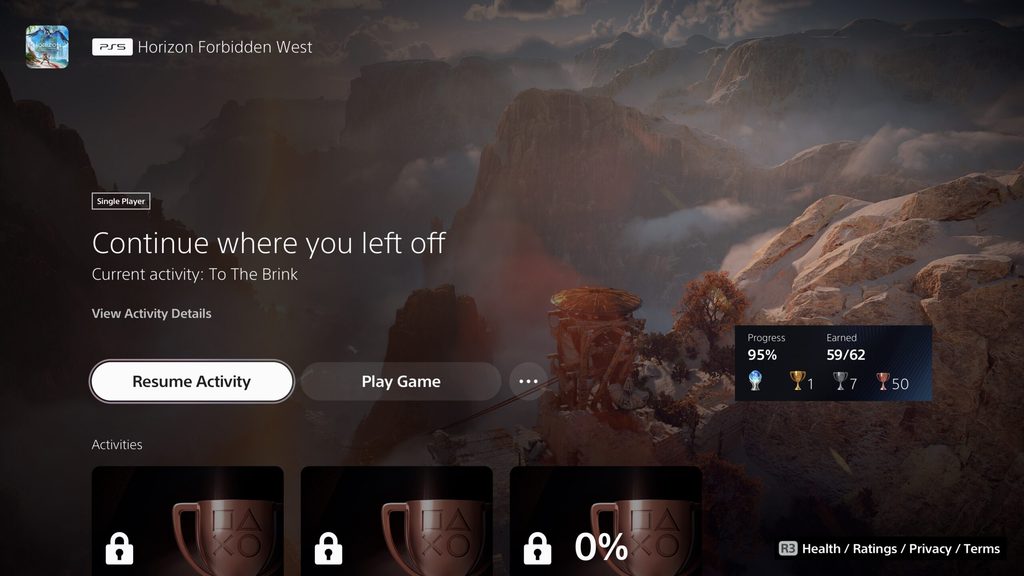
- Easier Access to In-progress Activities
- When resuming a game, in-progress activities are often shown prominently at the top of the game hub to make it as easy and as fast as possible to get back to where you left off.
New Social Features
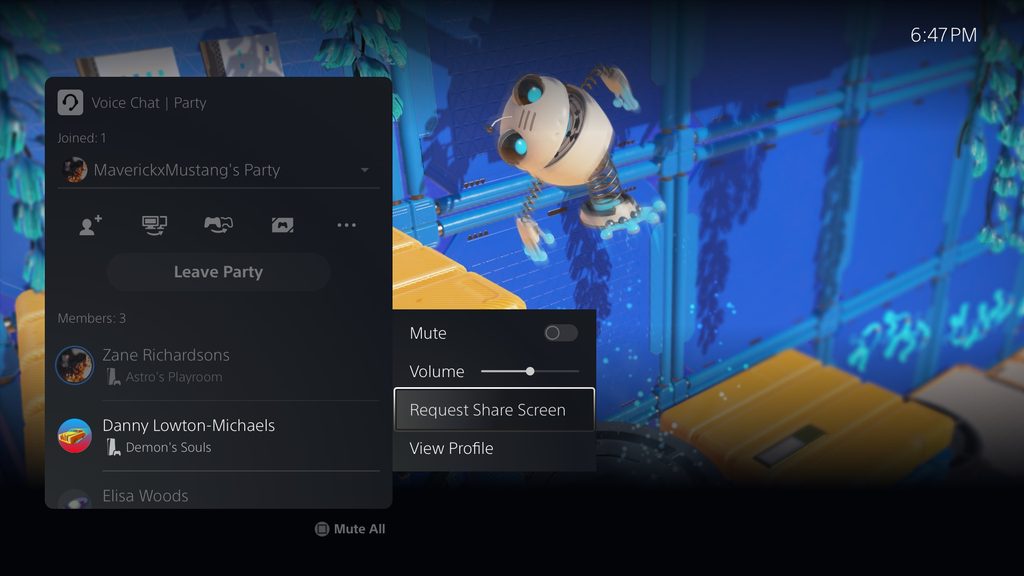
- Request Share Screen
- You can now request party members to start Share Screen to watch their gameplay. Go to the voice chat card, select the party member you want to send the request to, and then select [Request Share Screen].
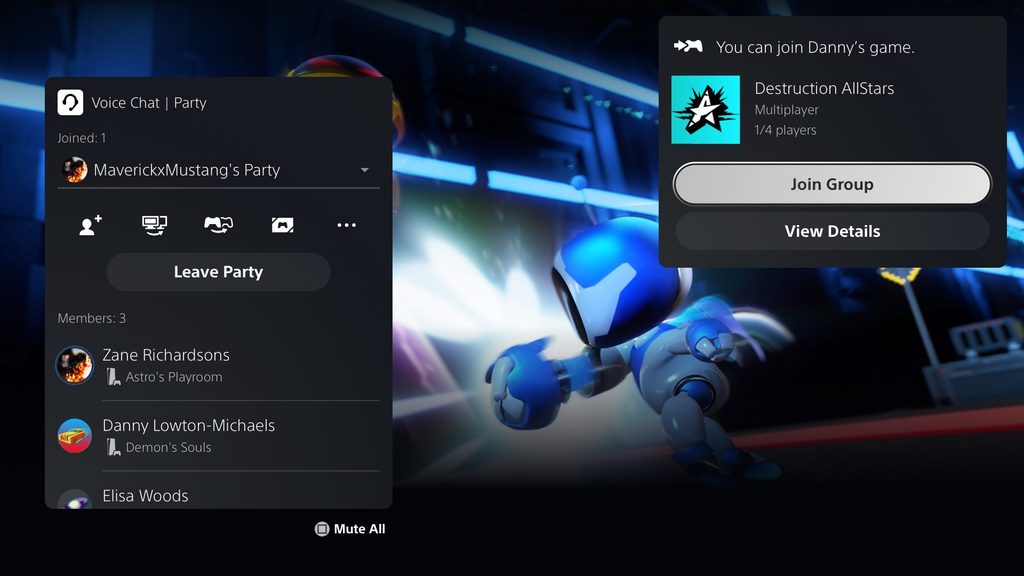
- Joinable Game Notification
- When you join a party and a party member is playing a game you can join, you’ll now receive a notification. You can join the game directly from the notification.
- View New Friends’ Profiles
- When you accept a friend request in the [Received] list, you can now view your new friend’s profile in [Accepted Requests].
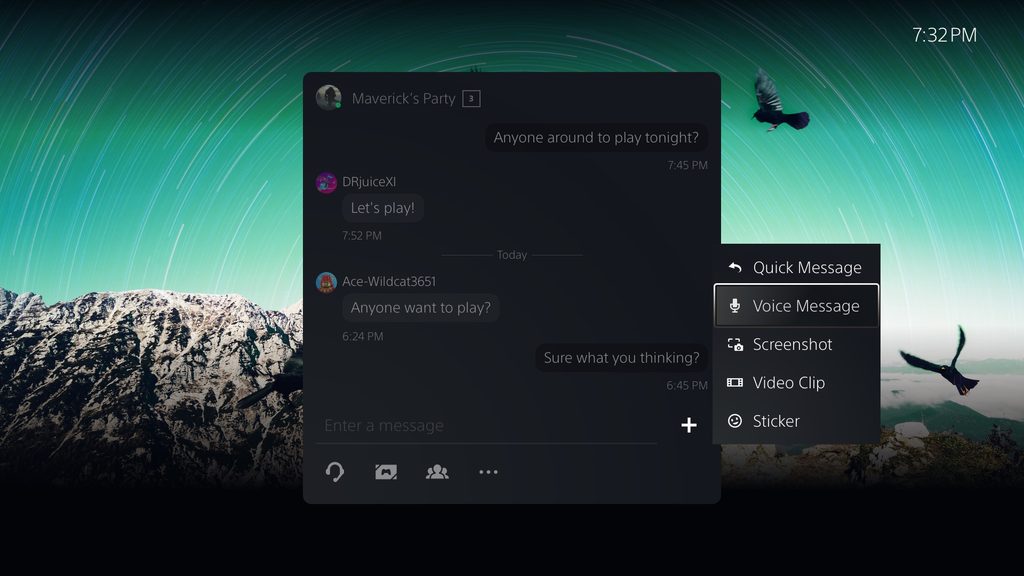
- Send Stickers and Voice Messages in Game Base
- In the Game Base card, you can now send stickers and voice messages to your groups.
Source; PS Blog




MrYd
Remember to connect your DualSense controller with a USB cable, as there’s an update for those included too.
The Gamelist feature is a nice idea, with just one horrible flaw. To add things to a list, it gives you a huge grid of massive icons for every single game in your library. 4 to a row. With 9 years of PS4 and PS5 games to scroll through, it could take a while to set them up. No option to filter them and add everything that way.
Andrewww
‘… make organizing your games even easier’.. ? You are aware the PS5 UI is a complete mess 2 years after launch?
And I strongly doubt they are able to get these gamelists right.
MrYd
The annoying thing is, everything they need is there. In the “Your Collection” section of the Game Library, you can filer by platform, genre and source. The actual store has a filter for VR required/optional, along with some other things that aren’t really relevant for the game lists.
You _can_ filter the “your collection” thing and then add the results to a list. Individually. Which obviously takes a while. But there’s no way to filter the collection, and then just tick off the ones you want to add to a list. Even though all the functionality required is there. It’s almost as if the store, UI, firmware and the underlying database are all built by different people (sensible plan) who then don’t talk to each other (not a good plan).
Andrewww
Sorry, that was not supposed to be a reply to you…
TSBonyman
Ugh, i just trawled through my entire collection to find the PSVR stuff – mostly by watching out for the PSVR tag on the relevant game icons – but i noticed that a few PSVR games, even though they have the blue PSVR icon, they don’t have the PSVR tag – jeez that’s annoying. Now that i have a folder of PSVR stuff, i have to go through it a second time to hide all the stuff that is either locked away behind PS+ or simply does not actually play on PS5. It’s really disappointing how poorly this basic feature has been implemented.
On the plus side, my TV supports 1440p – although i have no idea if i’ll ever want to use that!