Pokémon Pokopia is one of the big new games in Nintendo’s lineup for 2026, but can it be played on Nintendo Switch 1?
The short answer is no, but the longer answer is… a little bit?
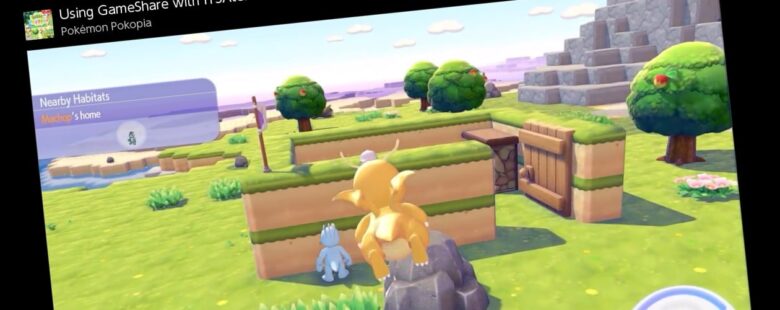
Pokopia is a Nintendo Switch 2 exclusive, so it cannot be played directly the older Switch 1 console, except for in one very specific form of multiplayer: GameShare. This feature allows the Switch 2 to host a multiplayer session, beaming the game to another Switch 2 or Switch 1 using Wi-Fi.
How Pokopia GameShare works on Switch 1
Here’s the steps you need to take to set up a Pokémon Pokopia GameShare session. This is possible online via GameChat for Switch 2 players, but for Switch 1 guests, GameShare can only work with a local connection.
This walkthrough is for local GameShare with a Switch 2 and one other Switch or Switch 2 console.
-

- Find the Pokémon Center computer in Palette Town
-

- Select LInk Play
-

- Select multiplayer mode
- As the host Switch 2 player, load up the game and head to the Palette Town region – this is across the big bridge from Withered Wasteland, or if you’ve already been, maybe you can fast travel there if you have a Ditto Home in Palette Town.
- Access the Pokémon Centre and select Link Play > Invite Others to Visit > GameShare > With nearby players.
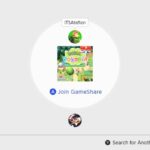
- On the guest Switch 1 or 2, from the console main menu select GameShare and search for a local connection.
- Click Join on the guest console
- The host should see the guest join and be able to select to start the session.

When you want to finish playing, the host player can end the session by opening the + Pokedex menu, and then by pressing the – button. Alternatively, head back to the Pokémon Center computer and end the session there.
What can you do in Pokopia GameShare multiplayer?
There’s a lot of layers and versions of multiplayer in Pokémon Pokopia, from online servers where everyone can play when they want and build and modify the world freely, to only being able to visit and see what someone has made in the main single player story.
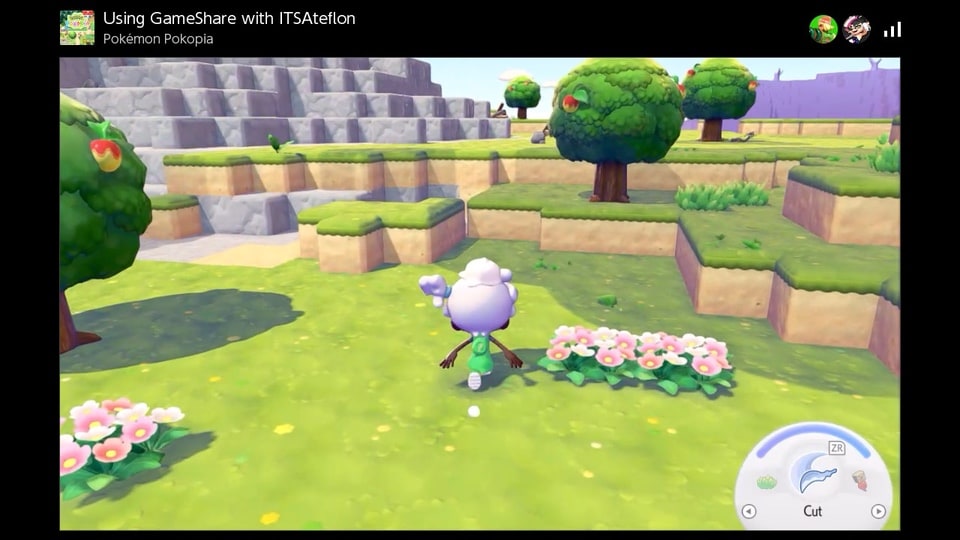
Unfortunately for Switch 1 players, the GameShare multiplayer in Pokopia is limited. GameShare sessions are only available while visiting the Palette Town region, and not for the main story areas or the Cloud Islands. Also, you can only have two players during a GameShare session, when other multiplayer options allow for up to four players.
While playing, GameShare guests are able to use all the main Ditto abilities, just like the host player, so they can dig through the ground, cut down grass and trees, water plants and more. They can also then place blocks and items in the world.
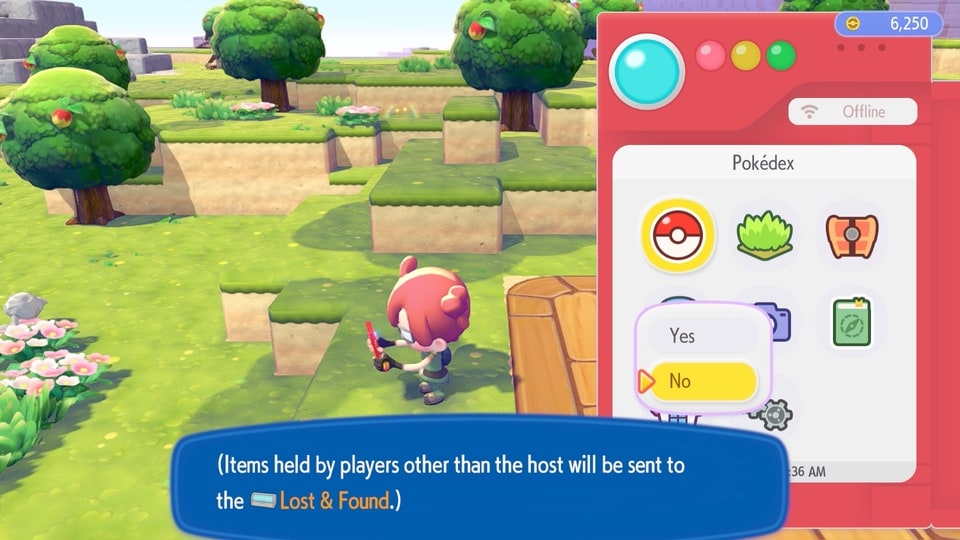
What GameShare guests cannot do is use the workbench to craft new items. Also, they’re just a guest player and cannot take anything that they have in their inventory with them. All of this is left in a Lost & Found box by the Pokémon Center after they leave the session.
What are the other multiplayer options in Pokopia?
Multiplayer in story regions
For the four main story regions, local and online players can join a host player, but cannot modify their created world. What visitors can do is give Star Pieces to Pokémon. Pokémon love Star Pieces and will give a gift in return.
When the visitor heads back to their own island, they can open that gift by an unoccupied habitat and that Pokémon will appear! This is a great way to share rare and legendary Pokémon with friends.
Palette Town
Palette Town in other link play modes allows for full activity with guests and hosts all able to build, complete missions, interact fully with Pokémon and more. The region starts off the same for all players, but can be fully customised over time.
Dream Islands
Dream Islands are a great way to get resources and unusual items like Star Pieces – you can even meet legendary Pokémon and bring them back with you! Speaking to Drifloon and presenting them with a doll, or summoning them to a Pokémon doll will let you visit an island that can be regenerated once a day. Any guest players can join you too, keeping the items that they find and collect.
Cloud Islands
Cloud Islands are always-online islands that can be generated for groups of players to share. Unlike with other multiplayer modes, you don’t have a host player with the save, so anyone with the island key codes can drop in and play.
There are settings here for the island owner to prevent or allow changes, show or hide the code, and more, so they are still in control.
[kofi]
More Pokémon Pokopia Guides and Features
Check out these other guides and features for Pokémon Pokopia:
- Pokémon Pokopia Review
- How to fast travel in Pokémon Pokopia with ‘Return Home’
- Learn how to jump in Pokémon Pokopia
- Surf’s up! – How to swim in Pokémon Pokopia and find Lapras
- The Glide Guide – How to fly in Pokémon Pokopia and find Dragonite
- You’ll never guess where to learn Waterfall in Pokémon Pokopia